



































Google Will Let Users Change Their Gmail Address Without a New Account
Google is rolling out a new feature that allows users to change their Gmail address without creating a new account. Learn how it works, benefits, and what it means for users.



For years, a Gmail address has seemed like it would last forever, like a digital tattoo from the early days of the internet. A lot of people made their email addresses when Gmail was new, fun, and experimental. They never thought those same usernames would show up on job applications, invoices, bank emails, and official websites.
Now, Google is finally fixing that problem that has been around for a long time.
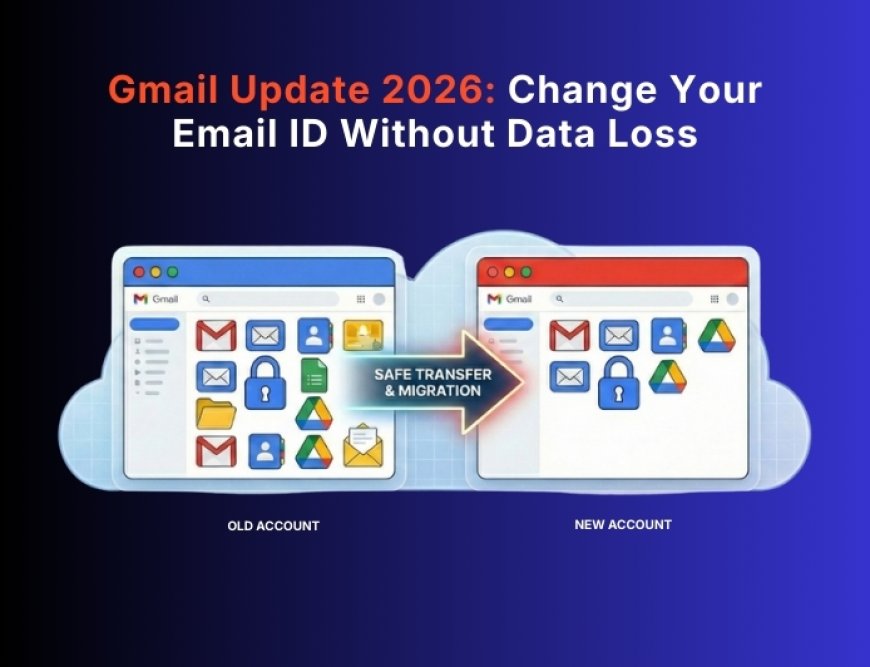
People can now change their @gmail.com address without having to make a new Google account. India was the first country to get the rollout, and it should be available in more places over time.
This long-awaited update could be a huge help for millions of people who have to use old or unprofessional email names.
Why This Gmail Update Matters
If Gmail users wanted a better email address, they only had one real choice until now: create a new Google account and keep two inboxes forever.
That meant:
-
Losing the ease of having only one inbox
-
Handling multiple logins
-
Reconnecting apps, services, and backups
-
Risking not getting emails
This update lets users change their Gmail username without losing their Google Account, which includes all of their emails, data, and services.
To put it simply: a new Gmail name but the same account.
Full Details: Google’s New Gmail Address Change Feature
Google has quietly rolled out one of its most useful Gmail updates in years, starting with India. This change can completely fix the problem of outdated or unprofessional email IDs—without losing data or creating a new account.
👉 Read the complete breakdown, benefits, and availability here:
🔗https://www.cloudsat.in/technews/google-will-let-users-change-their-gmail-address-without-a-new-account
Step-by-Step Guide on How to Change Your Gmail Address
You can change your Gmail address once the feature is turned on for your account. Just follow these steps:
-
Open the settings for your Google account
-
Go to the Account Info or Personal Info section
-
Choose the option to Change Your Gmail Address
-
Type in the new @gmail.com username you want
-
Finish the process and confirm it
That's all.
👉 No new inbox
👉 No data loss
👉 No moving accounts
Important Things You Should Know About Limitations
Users should still be careful, even though the change goes smoothly
Change email addresses on:
-
Apps for banking
-
Online shopping sites
-
Websites for the government
-
Services that require a subscription
Look at apps or websites that let you log in with Gmail
New information:
-
Signatures in emails
-
Profiles for billing
-
Email and phone number for recovery
Also, popular usernames may be taken quickly once the feature becomes widely available, so if you have a specific name in mind, act fast.
A Little Change That Makes a Big Difference
This may seem like a small change, but Gmail is at the heart of modern digital life. You can connect one email address to:
-
Drive from Google
-
YouTube
-
Backups for Android
-
Services in the cloud
-
Payments made online
-
Tools and apps for work
This update gives people who are stuck with embarrassing or old usernames a chance to start over without having to start over.
What's Your Reaction?
 Like
0
Like
0
 Dislike
0
Dislike
0
 Love
0
Love
0
 Funny
0
Funny
0
 Angry
0
Angry
0
 Sad
0
Sad
0
 Wow
0
Wow
0